 Path
PathHelp center
Every question, before you ping support
Journeys, alerts, 2FA, GraphQL, status, API — current answers and screenshots. Search or a section.
85 / 85
The product
What is Pathly, exactly?+
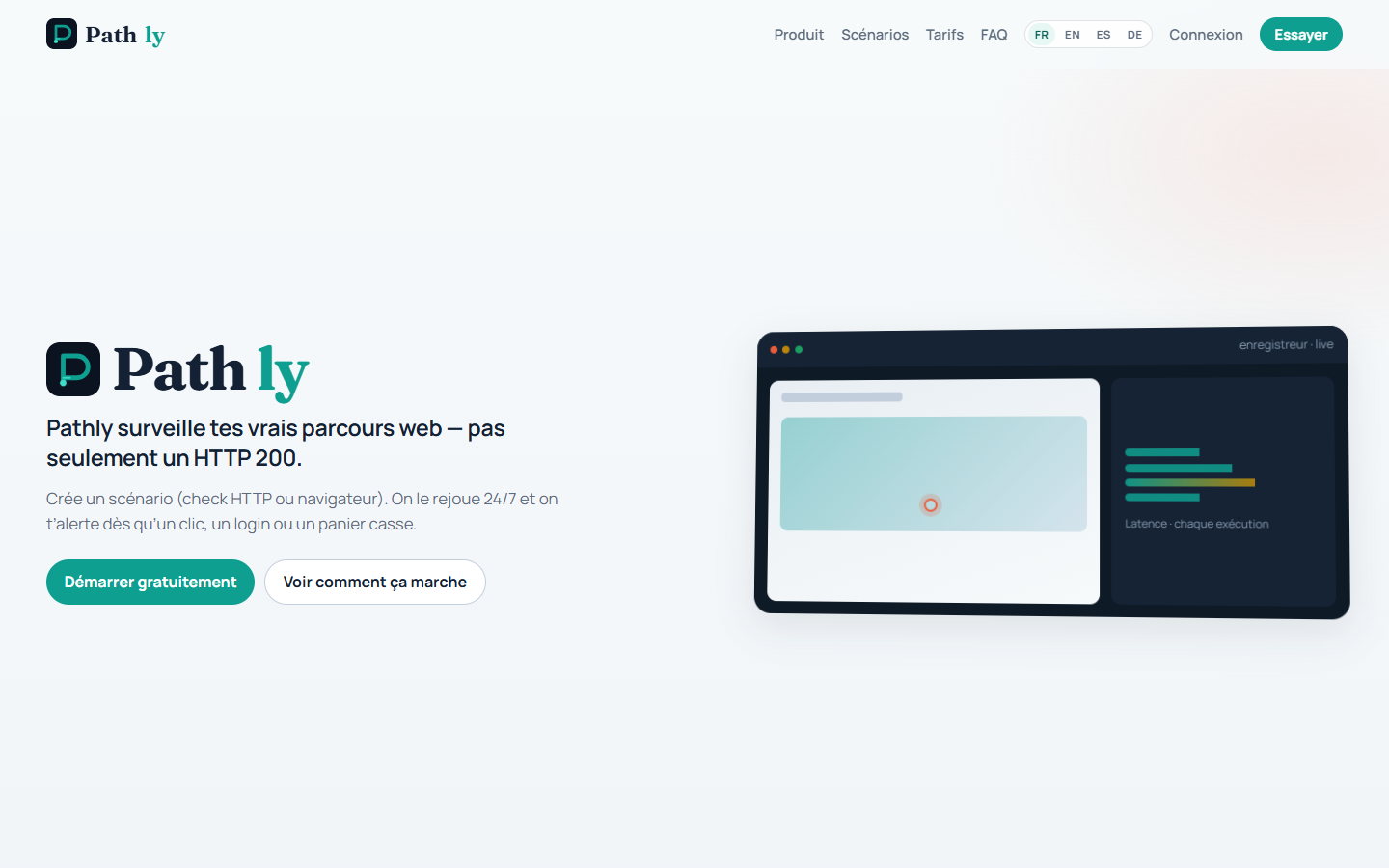
Pathly watches the path your business depends on. Ping: an address answers (status, time, text, headers, JSON, GraphQL, SSL, domain). Flow: a visitor can still click (real Chrome, EU). Chain: the calls behind it hold (login then API). Email alerts on every plan; Slack, Teams, Discord, PagerDuty and Opsgenie with Business, or Pro plus the “Webhooks + status page” option (€14). On Freelance, Pro and Business, an on-demand AI explanation summarises the failure (EU region, never automatic, Solo: none). One measurement origin. Escalation after N consecutive failures (default 3). Status page, badge and Overview complete the picture.
What’s the difference between Ping, Flow and Chain?+
Ping sends an HTTP request and checks status, time, text, headers, JSON or GraphQL — without Chrome. Chain sequences several calls (login then a protected route) and counts as 1 run from the same pool as Flow. Flow opens real Chrome: clicks, typing, cart, cookies. Solo: 1 Flow / 24 h. Freelance: morning and evening (~12 h) + 25 Ping addresses. Pro (800 runs / month) and Business (2,400) for continuous coverage. You can link Ping and Flow: if the API is down, Pathly does not open Chrome.

My uptime monitoring is green — why would I need Pathly?+
A 200 response only means the server answered. It does not mean the “Sign in” button still works, that a script has not broken checkout, or that a step now takes 12 seconds instead of 2. Pathly replays the journey exactly as your visitor experiences it. If uptime monitoring is green while the journey is red, your customers are blocked even though the hosting looks healthy.

Step-by-step guides
Green journey in 4 minutes — activation checklist+
The dashboard shows a four-box activation checklist, to be completed in order. 1) Add an HTTP check on the most important address of your site: Observer → Create a Ping, paste the address, save. 2) Create a browser journey, either from a ready-made template (sign-in, cart, cookie banner, contact form) or by recording it yourself in the recorder. 3) Choose where to receive alerts in Settings: by email on every plan, and on Slack, Teams, Discord, PagerDuty or Opsgenie with Business or the Pro “Webhooks + status page” option. 4) Launch a first run and check that it turns green. Each box is ticked as soon as the step is done; expect about four minutes in total.
Record a sign-in or a cart (recorder)+
Open the recorder, enter your site address and click “Open”. Then click the real buttons, exactly as a visitor would: each action becomes a step of the Flow. Finally, ask Pathly to check that an expected text is indeed displayed on screen and that the address reached is the right one, then save. On your first recording, the app shows three pointers that prevent the most common mistakes.

Connect Slack, Discord, PagerDuty in 3 minutes+
Open Settings → Alerts, then paste the Slack, Teams or Discord webhook address, or the PagerDuty or Opsgenie integration key. Pathly encrypts it and never shows it again; you can remove it in one click. If you have written instructions on the check, they are included in the alert message so the person on call immediately knows what to do.
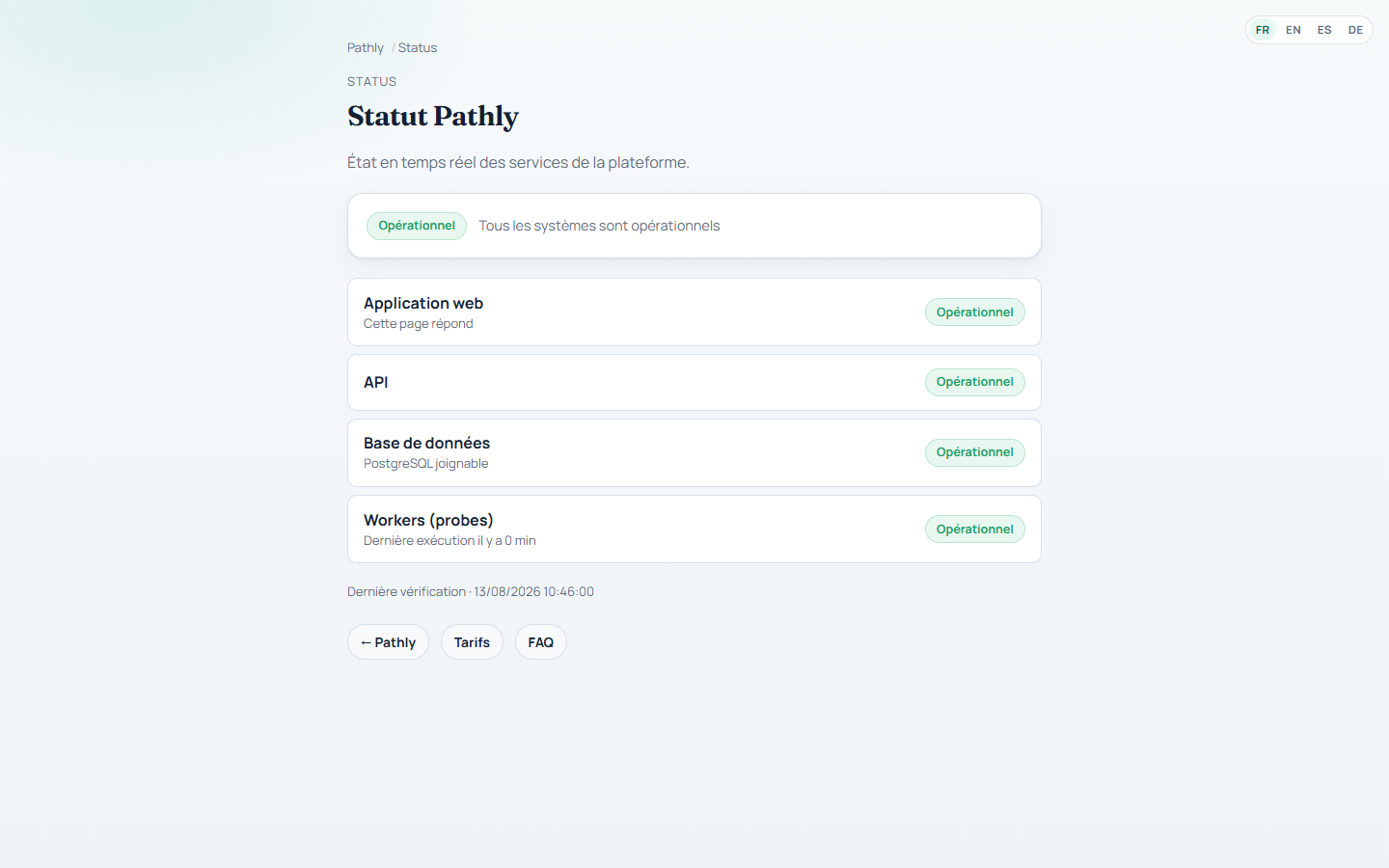
Status page, badge and custom domain+
In Settings → Status page, choose the public address of your page (for example acme), tick “public” and save: your customers can then see the state of your journeys. You can also grab a Pathly badge (journey state) for your status page or site footer, an RSS feed for a news reader, and a small panel to embed in an internal page. Finally, you can use your own address (status.mysite.com) by adding the two records Pathly shows you at your DNS provider.
Browser runs: quota and going over it+
One run = one Chrome replay, whatever its duration. Each replay stops after 2 minutes (unless your account has a longer limit). A banner warns you at 80% of the quota. Runs stop once the quota is reached: nothing keeps going without your knowledge. To go further, add a 100-run pack at €22 per month or move up a plan.
Account and team
How do I create a workspace?+
On the sign-in screen, click “No account yet?”, then enter a name, an email and a password of at least 8 characters. You become the owner of the workspace. The Free plan includes 5 HTTP addresses checked every 5 minutes, 1 browser journey replayed every 24 h, 1 seat, 7 days of history and 5 alert emails per month. The dashboard then shows a four-box checklist: HTTP check, browser journey, alert, first green run. Turn on two-factor authentication in Settings as soon as you configure alerts. The 14-day Pro trial starts from Your plan.

Sign-up, captcha and Pro trial?+
In production, account creation uses a Cloudflare captcha. Solo: sign up with no card. The 14-day Pro trial requires a card and starts from a dedicated button on Your plan, separate from staying on Solo.
What is the local demo account?+
This account only exists on a demonstration machine installed locally, never on the online service: the email is admin@pathly.local and the password is localdev. It is a platform administrator on the Pro plan, so every feature can be shown. The local app opens on port 3003 and the interface needs the Pathly service to answer on port 8084. If sign-in is refused, the demonstration data set usually has not been installed: go through the project’s local installation procedure again.
How do I invite a teammate?+
In Settings, invite the person by email: they receive an invitation link, which you can also copy and pass on another way. Seats included: 1 on Solo and Freelance, 3 on Pro, unlimited on Business. On Pro, from the 4th member onward, an extra seat is €8 / month on Your plan. Business has no seat cap: more people creating journeys consume more runs. Only the workspace owner manages invitations, API keys and webhooks.

What are API keys for?+
Create a key in Settings; the secret is shown once, never in code. It drives /v1: Ping, Flow, Chain, incidents, status page. A Chain is created with httpChain (or createChain in @pathly/sdk). The Terraform provider pathlyhq/pathly versions the same object via pathly_scenario { http_chain { … } }. Idempotency-Key (8–128 characters) on writes. Contract: /public/openapi.json and /developers.
Is SSO available?+
Yes for social sign-in. On the sign-in screen you can create an account or sign in with Microsoft, and with Google when it is shown, in addition to email and password. App-based two-factor authentication (TOTP) and backup codes remain available on password accounts. Organisation single sign-on (SAML / enterprise IdP) does not exist: if it is a requirement on your side, write to us from the Pricing page and we will look at it case by case.
How do I turn on two-factor authentication (2FA)?+
Go to Settings → Security, ask for a temporary-code secret to be created, then scan the QR code shown with your authenticator app and confirm the six-digit code. Pathly then shows, once only, a list of backup codes: copy them and keep them somewhere safe. At the next sign-in, a second screen will ask for the code. To turn two-factor authentication off, you need your password and a valid code.
Flow and recorder
How do I record my first browser journey?+
This works on every plan: Solo replays 1 journey every 24 h, Freelance 1 journey morning and evening (~12 h, exact schedule not guaranteed), Pro and Business replay several, more often. 1) Open the recorder, enter an address starting with https:// and click “Open”: allow 10 to 20 seconds. 2) On your first recording, three pointers appear: click the real button, target a unique element, run a test before saving. 3) Click, type text, press Enter: each action becomes a step. 4) Add your checks: a text must be visible, the address reached must match, the cookie banner must be gone. 5) You can also start from a template: sign-in, cart, cookie banner, contact form. 6) Save. Another shortcut: copy an existing Flow and change only the starting address.
How do I edit an existing Flow?+
Open Observer, filter Flow, open the card and restart the recorder. Existing steps reload: start again from the beginning or continue at the end. Text checks already in place do not block editing. Save to publish the new version.
How do I add a simple HTTP check, without using the recorder?+
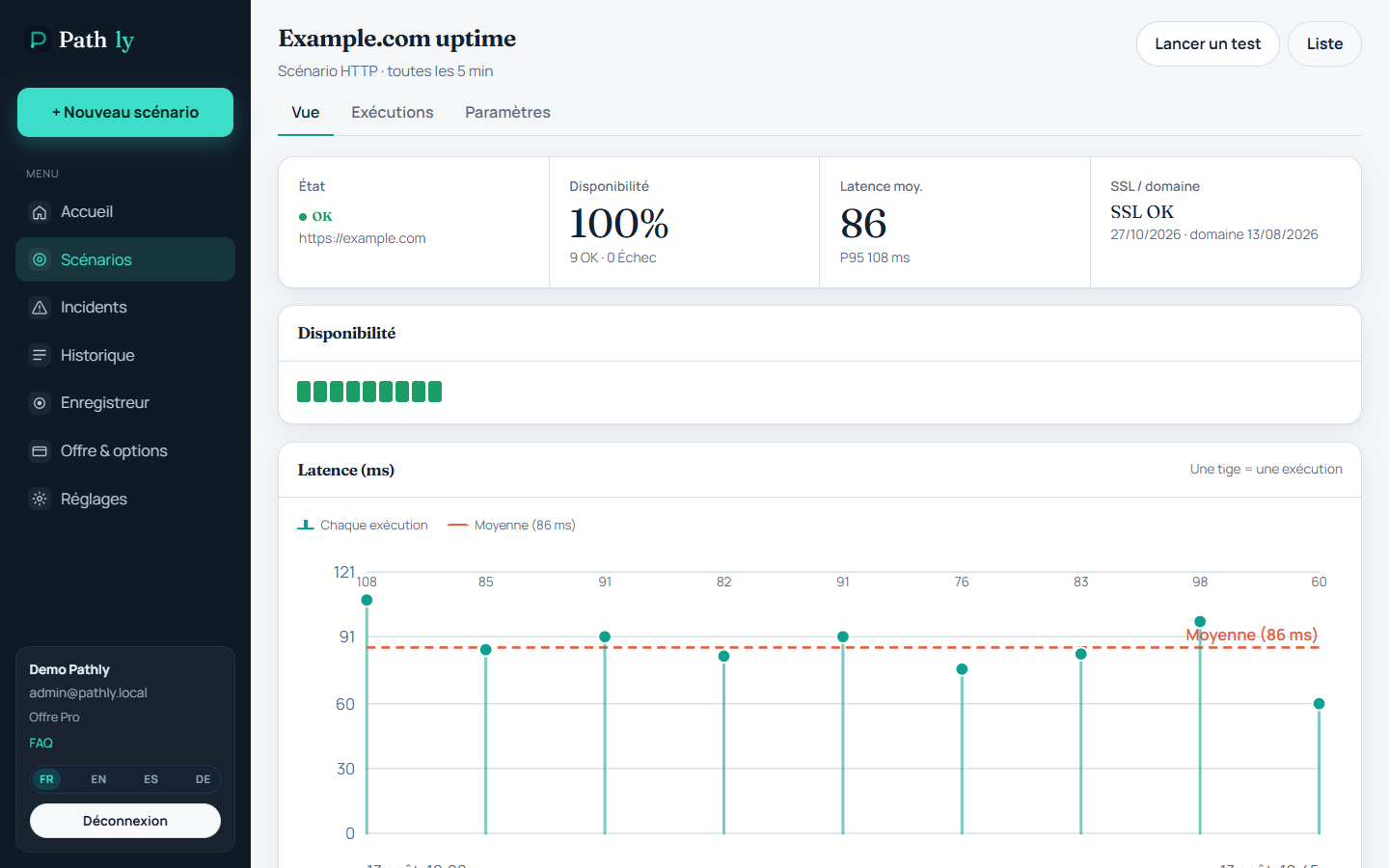
Go to Observer → Create → Ping. Fill in the address, a name, the max time and the plan interval. For several calls (login then API), create a Chain, not a Ping. On the Ping card you can add GraphQL, alert instructions, and link a Flow. Pathly also tracks the SSL certificate (30- and 7-day alerts, configurable) and domain expiry.
From which cities does Pathly test my site?+
From Europe: your checks and your data stay in the Union. It is our only measuring point today, and we would rather say so plainly than display a city where nothing runs. Tell us if your requirements call for a specific origin. These probes sit on the public internet: they cannot reach a site that is only available from your internal network (VPN or intranet).
Can Pathly test an intranet or VPN-only site?+
No. Probes sit on the public internet in the European Union. A site reachable only from your internal network, a corporate VPN or private address ranges cannot be accessed. Pathly checks what your customers see on the public web.
How many measuring points does Pathly use?+
One today, in Europe (European Union). All latency and uptime figures come from that single origin. On Freelance, the browser journey runs morning and evening (~12 h apart): that is not a guaranteed time slot to the minute.
What is “time per step”?+
On a Flow page, the duration of each step is compared with the previous run and with the average over the last 7, 14 and 30 days. Green means the step is faster than before; red means it is slower. This is how you spot a sign-in or a payment getting heavier week after week, before it exceeds the allowed time and breaks.
Do you keep a screenshot or a video when something breaks?+
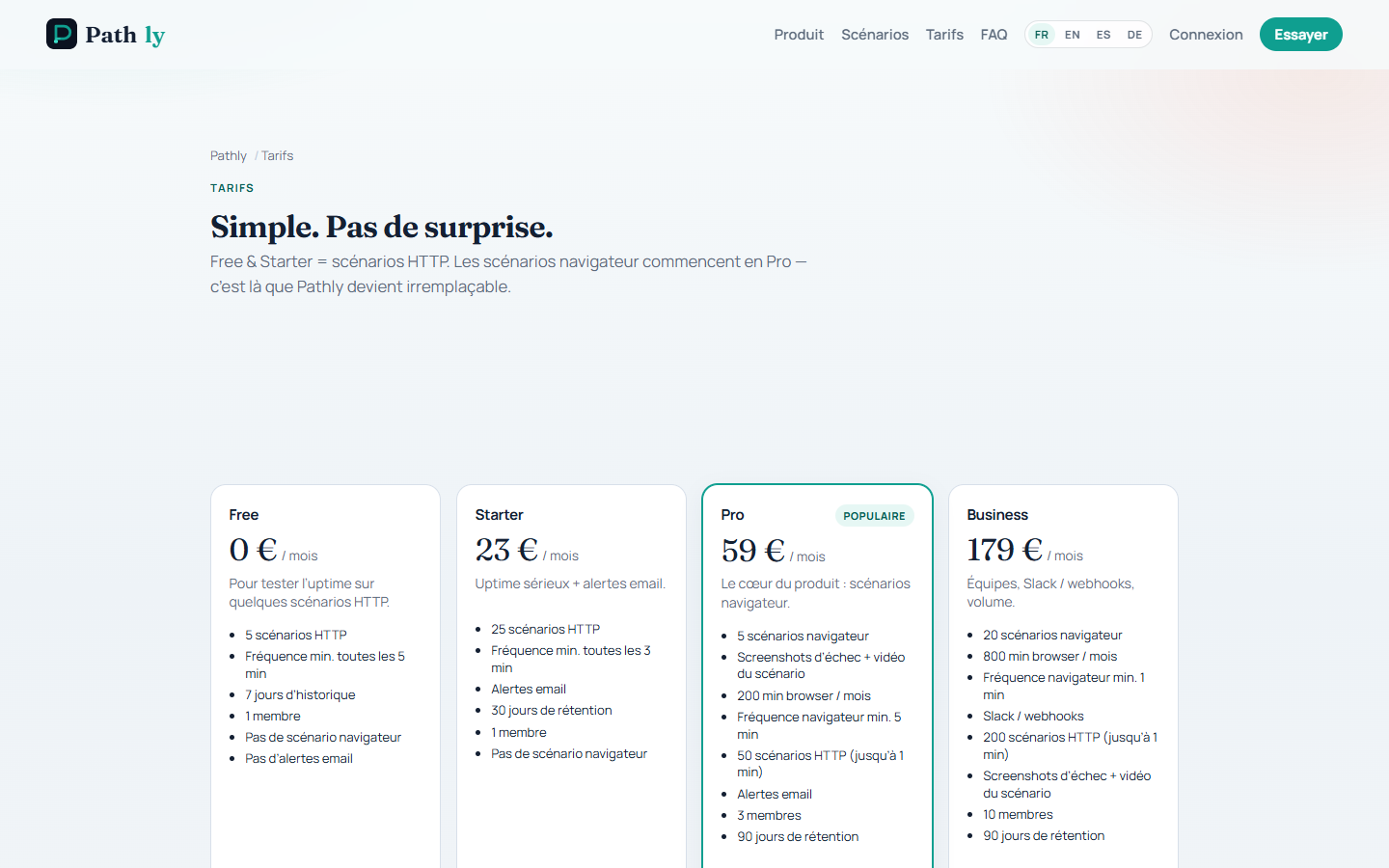
On Free and Starter, Pathly keeps a screenshot of the failure on the daily journey. On Pro and Business you get both the screenshot and the video of the journey, available in the run history. These files are kept for as long as your plan keeps history — 7 days on Free, 30 on Starter, 90 on Pro and Business — then they are deleted.

What’s the minimum interval per plan?+
For Pings: every 5 minutes on Free, every 3 minutes on Starter, down to every minute on Pro and Business. For browser journeys: once every 24 h on Free and Starter, from every 5 minutes on Pro, from every minute on Business. Mind the budget: each replay counts as 1 run, so a journey every 5 minutes would use far more than the 800 runs included in Pro. In practice you set cadence by importance: payment more often than the “about” page.
Can I pause a Ping, Flow or Chain without deleting it?+
Yes. On the card, untick “Active”: Pathly stops replaying it and it no longer uses runs or minutes. It does, however, keep counting towards the number of HTTP or Flows your plan allows until you delete it.
I don’t have time to record — are there templates?+
Yes. The recorder offers four ready-made templates: sign-in, cart, cookie banner and contact form. You change the starting address and two or three elements to click, then run a test to check the journey passes. That is faster and more robust than writing every step by hand.
Why is Open slow? What’s happening?+
Pathly starts a real Chrome browser on its probes; this is not a simple preview of your page, so allow 10 to 20 seconds. An overlay with an animation and a counter shows where the operation stands: first Chrome starting, then your page loading. The same animation comes back when an action is recorded or when you save the Flow. Do not close the tab in the meantime.
Recorder busy, or it flakes intermittently?+
At most two Flow recordings run at once. RECORDER_BUSY means wait a few minutes, and do not close the tab while it opens (10–20 s). Intermittent failures often come from a cookie banner, a page that has not finished loading, or a real customer account that changes too much: use a test account and a visible-text check.
What actions does the recorder capture?+
Clicks, typed text, the Enter, Escape and Tab keys, hovering over a drop-down menu, choosing from a drop-down list, scrolling to an element, opening a new tab (payment, PDF document) and uploading a sample file. The preview of your site stays on the left and the list of steps on the right. You can correct the targeted element or the typed text without re-recording everything.
How do I add a check (text, URL, cookie)?+
Click “Add text check”, then click the text as it appears on screen: the step will then require it to be genuinely visible to the visitor, not merely present in the page code. You can also require the address reached to match what you expect (exact path or a looser pattern), ignore capitals, and check that the cookie banner has indeed disappeared after clicking “Accept”. Without these checks, an error page that answers correctly can stay green.
Can I record on mobile, and in another language / timezone?+
Yes. Before clicking “Open”, choose the screen size: desktop, tablet or mobile. That matters because the cookie banner and the compact menu do not behave the same way. A scenario can also force a language and a timezone (for example French and Paris time) so you can check displayed prices and opening hours.
Cookie banner and modern sites (React, Next) — does it work?+
Yes. Pathly recognises the main consent managers (AppConsent, Didomi, OneTrust, Quantcast, Cookiebot): it closes the banner at the start of the journey, then checks that it has indeed disappeared. On a site whose pages refresh without changing address, you can ask Pathly to wait until the site has finished exchanging data with the server, or until a specific action is confirmed, before moving on to the next click. That is more reliable than a fixed wait of a few seconds.
I got step 4 wrong — do I start over?+
No. In the list of steps, directly correct the targeted element, the typed text or the address. You can also click “Resume here”: Pathly replays the journey up to that step, then you record the rest. If the journey has really changed, “Re-record everything” starts from scratch. In every case, save to publish the new version.
What are the HTTP headers in the recorder for?+
Pathly adds these headers to every request, both while you record and on every new run of the journey. They are mainly used so your site or firewall can recognise test traffic, for example to exclude it from your visitor statistics. The name and value are set in the recorder or on the card.
Copy a scenario, GraphQL, written instructions — where?+
In the scenario list, the “Copy” button creates a duplicate named “… (copy)”: handy for covering a second client site. On an Ping page, the GraphQL field lets you send your query and turn red if the response contains errors. Also on that page, the written instructions are the text that will be included in Slack, Teams or Discord if the scenario fails: say who to warn and what to check. Finally, link an Ping to a browser journey to avoid opening Chrome when the API no longer answers.
HTTP and probes
What does an Ping actually check?+
Two shapes. (1) Ping: a single request from the EU (status, latency, text, headers, JSON, GraphQL, SSL, domain). (2) Chain: several calls in sequence (login → protected route), with expected status/text, cookies and JSON passed between steps — 1 execution = 1 run from the pool, not N pings. This is not a Chrome journey: for cart or web sign-in, create a Flow.
How do I monitor a GraphQL API?+
Create an Ping on your API address (often the one ending in /graphql), open its page and fill in the “GraphQL query” field. Pathly sends your query at every check. The Ping turns red if the response contains errors — even when the server answers correctly — or if the response does not have the expected format. If the API is protected, add your authentication headers. The details of the failure appear in the run message.
Does Pathly warn before an SSL certificate expires?+
Yes. Pathly reads the certificate of the sites you monitor over HTTP, roughly every 6 hours, and sends a dedicated alert at the deadlines you have chosen: by default 30 days and 7 days before expiry, editable in Settings (for example 30, 14 and 7 days). A deadline already reported is not sent again, so you will not get an hourly reminder. The alert uses the same channels as your usual failures: email, Slack, Teams, Discord and the others.
What about domain name expiry?+
Same principle, with a separate alert. In Settings, say how many days before the deadline you want to be warned (30 and 7 days by default). A domain name reaching expiry while the certificate is still valid triggers a “domain” alert, not an “SSL” alert. This is particularly useful when the domain registrar and the certificate provider are not the same.
Why link an HTTP check and a browser journey?+
When your API or your site no longer answers, replaying the journey in Chrome teaches you nothing new and burns minutes for nothing. On the journey page, the “Linked to” field lets you name the companion Ping: Pathly stops opening the browser as long as that Ping is red. You get one useful alert instead of two, and your minute quota is preserved.
What is a Chain?+
A chain runs several HTTP calls in sequence: login, then a protected route, with the status and text you expect at each step. Cookies and JSON fields can flow from one hop to the next. Useful for a shop, a SaaS, a freelancer or an agency. One chain execution counts as 1 run from the same pool as browser journeys (not as 10 pings). Solo: 1 chain (3 hops max). Freelance: 3. Pro: 20. Business: 50. Simple pings stay under a separate address cap.
Can I probe a WebSocket, DNS, or a TCP port?+
Not yet. Today Pathly covers HTTP requests (including GraphQL), chains of up to ten requests — each one can reuse a cookie or a JSON value taken from the previous response, enough to log in then call a protected route —, the SSL certificate and domain name expiry. Real-time connections, DNS records, network ports and automatic import of an API description are planned but not available yet. For a chat or a live service, monitoring the API health page over HTTP remains the most effective safety net today.
Alerts, incidents and status
How am I notified when a scenario fails?+
You choose the channels in Settings. Email is available on every plan: the free plan sends up to 5 per month, paid plans have no counter. Slack, Teams, Discord, PagerDuty and Opsgenie are reserved for paid plans. The keys and addresses you enter are encrypted and never shown again. An option also lets you be notified when everything is back to normal. The written instructions entered on the check are included in the alert. Every outage opens an incident that you can close or reopen, and Pathly can automatically create a ticket in Azure DevOps.

How do I connect Slack?+
In Settings → Alerts, paste the webhook address provided by Slack: messages arrive formatted, with the screenshot of the failure when there is one. Teams and Discord work the same way. Pathly encrypts the address and you can remove it in one click. For PagerDuty and Opsgenie it is an integration key, also encrypted and never shown again. These channels are reserved for paid plans. If you want to receive events in your own tool, signed webhooks are included in Business, or available as the “webhooks and status page” add-on on Pro for €14 per month.
Why doesn’t the alert fire on the first failure?+
By default, Pathly waits for 3 consecutive failures before escalating (second email, Slack, Teams…). That avoids an alert for a one-off selector glitch. The threshold is set in Settings → Alerts (between 2 and 20).
What’s the difference between /status and my customer status page?+
The /status page shows the health of the Pathly platform itself. Your own page is configured in Settings: choose the public address of the page (for example acme), tick “public”, and your customers can see the state of your journeys at /status/acme, with your logo if you add one. Pathly also gives you a Pathly badge (journey state — prefer status page or footer), an RSS feed for a news reader, a panel to embed in an internal page, and the option of using your own domain name by adding the two DNS records shown, then clicking “Verify DNS”.
What is the weekly digest?+
In Settings, enable the weekly digest and give the email address that should receive it. You then periodically receive an uptime summary and the list of incidents, without having to open the app. This digest is independent from the real-time alerts: you can have both, or only one of them.
Status page
How do I publish my customer status page?+
Go to Settings → Status page. Choose the public address of your page (for example acme), add a logo hosted over https if you wish, tick “public” and save. Your customers can then see the page at /status/acme. As long as the “public” box is not ticked, the page stays unreachable for everyone. Note: the address /status without a name shows the health of the Pathly platform, not yours.
How do I group scenarios (API, Checkout…)?+
On each card, fill in the “component” field with the name your customers will see: API, Checkout, Sign-in, and so on. The public page then groups scenarios by component and shows uptime over 30 and 90 days. If you leave the name empty, everything is grouped under “Default”. A red scenario only colours its own component, not the whole page.
What do the 24 h / 7 d / 30 d / 90 d % mean?+
It is the share of successful runs over the period, for the scenarios you have published. The 24 h and 7-day windows show the recent experience; the 30 and 90-day ones are useful in a contractual discussion or in documentation. This is not a signed service commitment: it is the same calculation as in the Overview view, simply made visible to your customers.
How do I show a Pathly badge on a status page or footer?+
In Settings → status page, the badge section shows the image and HTML / Markdown snippets. The pill shows journey state (ok / issue / down), not an uptime percentage — on purpose, so you are not framed as a ping tool. Place it first on your public status page or the client site footer; README is secondary. A click opens your Pathly status page. Acquisition is the “Monitored by Pathly” link on that page (UTM + partner code). 30-day % via ?v=uptime (internal use). Co-branded agency badge: ?v=branded.
How do I use status.mysite.com?+
In Settings → custom domain, enter the address you want, for example status.mysite.com. Pathly then shows the two DNS records to create at your provider: an alias pointing to Pathly and a verification record proving the domain is really yours. Add them, then click “Verify DNS”. As long as the verification record is missing or incorrect, verification fails. The HTTPS certificate for your domain, however, is not issued automatically yet: verification proves the domain is yours, but serve the page from its Pathly address in the meantime. You will be told as soon as HTTPS on your own domain opens up.
Can my customers subscribe (email / RSS)?+
Yes. On your status page, a field lets your customers leave their email address: they first receive a confirmation message, which prevents abusive sign-ups, and they can unsubscribe in one click. An RSS feed, whose address is shown on the page, lets them follow the state of your components from a news reader. No Pathly account is needed to subscribe, and no alert is ever sent to an unconfirmed address.
Can I show the feel in a wiki / back office?+
Yes. Pathly provides a small panel you can embed in any page: it shows the service name and its 30-day uptime, and allows no other content. The code to copy is in Settings, next to the badge. If you only want a coloured pill, use the Pathly badge (journey state). In both cases your status page must be public.
Can I hide the page (password / SSO)?+
Not yet. Today the page is either public or unreachable: there is nothing in between. A status page protected by a shared password or by your organisation’s single sign-on is planned but not available yet. Until then, leave the “public” box unticked, or share the link internally only — bearing in mind that the address remains guessable if you choose an obvious name.
Plans, quotas and billing
Which plan should I pick? Prices?+
The short answer: one site → Freelance (€29, morning and evening). Several sites → Pro (€69, 800 runs, 14-day trial) or Business (€199, 2,400 runs, Slack). Unlimited sites from Pro; extra run packs 100 / 1,000 / 10,000 (€22 / €149 / €990). Solo €0 = 1 site / day, 5 alerts. 15% off yearly.
How are browser runs counted?+
One run = one Chrome launch. A 20-second or 1 min 50 s journey both count as 1. The replay stops at 2 minutes (per-account duration). Pro includes 800 runs / month, Business 2,400; a 100-run pack is €22. Once the quota is reached, runs stop — no overage billing.
What counts as one “run”?+
One run = one Chrome launch, whatever the journey’s actual duration. Each replay is capped at about 2 minutes. We do not bill by the minute: your plan includes a monthly run count, then runs stop at the cap.
What happens when the run quota is reached?+
Browser tests stop. Nothing keeps running in the background and there is no overage invoice in production. Resume by changing plan or buying a run pack on Your plan.
How many alert emails on Solo?+
At most five alert emails per month. Once the cap is reached, Pathly sends no more email until the next monthly cycle. Paid plans above Solo remove this counter.
The “you’re nearing your limits” banner?+
Once you reach about 80% of a quota — HTTP addresses, browser runs or Solo alert emails — a banner appears. Your plan page shows usage. You can change plan, buy a 100-run pack (€22 / month) or, on Pro, an extra seat at €8 / month from the 4th member onward. Tests stop at the limit: no overage billing.

How long do you keep history?+
History is kept for 7 days on Solo, 30 days on Freelance and 90 days on Pro and Business. After that, runs and their captures are deleted. Other retention lengths may appear on Your plan when they become available there.
When is run history purged?+
Runs and captures older than your plan’s window are deleted automatically: 7 days (Solo), 30 days (Freelance), 90 days (Pro and Business). Beyond that, data is removed with no automatic export.
How does AI explanation work?+
Only on failed Flows, and only when you click. Never automatic. EU region required: outside the Union, analysis refuses to start. Monthly quotas: Solo 0, Freelance 20, Pro 200, Business 1,000. Only failure facts go to Vertex (Europe): no screenshots or full pages. The hypothesis stays attached to the run.
How do I pay / change plan?+
Everything happens on the Your plan page: that is where you start the 14-day Pro trial and choose monthly or annual payment, annual being 15% cheaper. The “Open my PDF invoices” button takes you to our payment provider’s billing area, where you can download your invoices and manage your payment method (card or direct debit). Pathly never stores your card number.
Card declined, workspace “past due”?+
A declined payment (card declined, insufficient funds) sets the workspace to past_due. Pathly never stores the card number: open Your plan, then the billing portal, to update the payment method and settle the open invoice. A banner stays in the console until Stripe confirms payment.
Is Solo enough for long?+
Solo is for seeing the product on a real incident: 1 scenario, 1 run / 24 h, 5 emails / month, 7 days of history, 0 AI explanations. When the incident comes back, move to Freelance (€29): morning and evening, 30 days of history to prove a month without outage. Not multi-client: one Flow only.
Who gets the branded PDF?+
Name, colour, logo and footer on the monthly report: Business only. On other plans, the HTML preview stays available as a teaser, without brand customisation.
Data, security, EU
Where is data hosted?+
Your data and the checks are stored in Europe, inside the European Union. Integration secrets are encrypted: Slack, Teams and Discord webhook addresses, PagerDuty and Opsgenie keys, Azure DevOps access token, HTTP authentication credentials of your scenarios. Values typed by a scenario stay readable to the members of your workspace, who need them to repair a step: use a dedicated test account rather than a real customer account. No secret appears in technical logs or in our code. Two-factor authentication and backup codes are configured in Settings. A session lasts 14 days.
Who can read passwords typed in a Flow?+
Members of your workspace who can access the scenario. Values entered during recording or replay stay visible so a step can be fixed. Use a dedicated test account, never a real customer or admin account.
GDPR: who sees my scenarios? Right to erasure?+
Only members of your workspace see your Ping, Flow and Chain, your runs and your captures. The public status page exposes only what you have explicitly chosen to publish. The workspace owner can delete it themselves, from Settings → Delete my workspace: deletion requires your password and typing a confirmation word, and it is final. We do not keep your card numbers: payment is handled by our payment provider.
Integrations and API
Can Pathly open an Azure DevOps ticket on incident?+
Yes. In Settings → Integrations, enter your Azure DevOps organisation and project, then an access token allowed to manage work items: it is encrypted and never shown again. Choose the ticket type (Issue by default) and tick “create a ticket on each new incident”. When the service returns to normal, Pathly tries to close the matching ticket. Test the connection before enabling the option.
Where can I find the API description and how do I use it?+
The API description is published at /public/openapi.json and can be read without authentication. With an API key you reach, among other things, the incident list, the components of your status page and your scenarios. When creating scenarios, add the Idempotency-Key header so that a call replayed by your integration pipeline does not create duplicates. The webhooks Pathly sends you are signed, so you can verify they really come from us.
Can I export / delete my workspace (GDPR)?+
Yes. From Settings you export your data in a file another application can read: scenarios and settings, without secrets in clear text. Deleting the workspace is restricted to the owner and requires their password, then a confirmation. Runs and captures follow your plan’s history duration — 7, 30 or 90 days — before being deleted.
Overview (view, heatmap, shortcuts)
What is the Overview page?+
A single screen and five numbers: overall experience, uptime, number of open incidents, browser minutes used and number of monitored journeys. You reach it from the Overview menu or with the keyboard shortcut g then c. This view is designed to be shown in a management meeting or to a client, not for day-to-day technical monitoring.
A run stays stuck “in progress”?+
A Flow job can stay open if the worker did not return (slow page, Chrome saturated) or if the Flow / Chrome minutes quota is reached. Open History: if nothing moves after a few minutes, re-run the scenario. At the cap, runs stop until you add a pack or the next cycle — there is no silent resume.
How do I see which hours fail?+
The dashboard and the Overview view show a heat map crossing days and hours over 30 days. The darker a cell, the more runs failed at that time. That is how you spot a nightly job that takes the site down, or a systematic spike at noon, before pausing the scenario at those hours or fixing the scheduled task causing the outage.
How do I export a chart?+
Every chart — availability, response time, duration, time per step, heat map — has an Export button. You choose either an image (PNG or SVG) to paste into a report, or a data table (CSV or JSON) containing exactly the points shown on screen, including the selected period and zoom level. Nothing is sent to another service: the file is simply downloaded by your browser.
What are the keyboard shortcuts?+
In the app, outside a text field, press g then a letter: d for the dashboard, m for Observer, i for incidents, r for history, n for the recorder, b for billing, s for settings, c for the Overview view. The / key opens search, the ? key shows help and the Esc key closes the current window.
It’s not working
The URL returns 200 but the Flow is red?+
That is expected: the HTTP check and the browser journey do not measure the same thing. Open the run in the history: you will find the screenshot and the step that failed — element not found, expected text missing, time limit exceeded. The most frequent causes are a cookie banner that changed, an alternative layout being tested on your site, or a modified sign-in page. Depending on the case, re-record the journey or make the check less strict.
I click Open in the recorder and nothing happens?+
Check three things: that the address does start with https://, that you have browser minutes left, and that your plan allows another run (Free and Starter allow one every 24 h). Opening takes 10 to 20 seconds in any case. Also bear in mind that a site internal to your company cannot be reached from our probes, which sit on the public internet. If in doubt, first run a template (sign-in or cart) to check that the recorder works.
My browser tests are refused, or Pathly says “quota exceeded”?+
Three common causes: run quota used up, plan cadence limit (Solo: one run / 24 h), or Solo alert cap reached. On Your plan, change plan or add a 100-run pack (€22 / month). A paused scenario uses no runs. The counter resets each month, with no overage billing.
Do you warn before SSL / domain expiry?+
Yes. At every HTTP check, Pathly records the authority that issued the certificate, its expiry date and that of the domain name. In Settings you set the alert deadlines (30 and 7 days before, by default): one alert is sent for each deadline reached, only once per deadline, to avoid pointless reminders. The incident created is of type “SSL” or “domain”, clearly distinct from a failed run.
I lost my phone / 2FA backup codes?+
Enter one of the backup codes Pathly asked you to copy, instead of the six-digit code: each code works only once. If you have none left, note that another workspace owner cannot turn off your two-factor authentication for you, because accounts stay separate. Write to Pathly support from the account email address: we verify identity before any deactivation.
My GraphQL check is red even though the server answers 200?+
That is expected: Pathly sends your query and treats the check as failed if the response contains errors, even when the server answers correctly, or if the response does not have the expected format. Check the address (often the one ending in /graphql), the content of the query and your authentication headers. The exact detail appears in the run message.
Canned replies (support)
Ready-to-paste macros: busy recorder, stuck job, declined card.
Recorder busy / flake+
Hello,

The Flow recorder starts a real remote Chrome. At most two sessions can run at once: if you see “busy” (RECORDER_BUSY), wait a few minutes and try again, without closing the tab while it opens (10–20 s).

Intermittent failures often come from a cookie banner, a SPA that has not finished loading, or a real customer account that changes too much. Use a test account and a visible-text check.

Best,
The Pathly team
Stuck job / run+
Hello,

A Flow run can stay “in progress” if the worker did not return (slow page, Chrome saturated, Flow / Chrome minutes quota reached). Open History: if nothing moves after a few minutes, re-run the scenario. When the Flow / Chrome minutes quota is reached, jobs stop until you add a pack or the next cycle — there is no silent resume.

A failed run with a screenshot stays in the EU; the failure video (Pro / Business) does too.

Best,
The Pathly team
Card declined / past due+
Hello,

A declined payment (card declined, insufficient funds) sets the workspace to “past_due”. Pathly never stores the card number: open Your plan → billing portal to update the payment method and settle the open invoice.

Until payment is current, a banner stays visible in the console. Once Stripe confirms, the status returns to active.

Best,
The Pathly team
Nothing here matches?
Create a free workspace and reproduce the case on a real journey — that’s fastest. Otherwise, send the exact step and error message.
Create a Ping, no card